How to keep track of what's in your fridge
The best fridge inventory is the one that survives the moment between opening the door, choosing dinner, and writing the next grocery list.
- Published
- Category
- Fridge inventory tracking
- Sources
- 10 cited
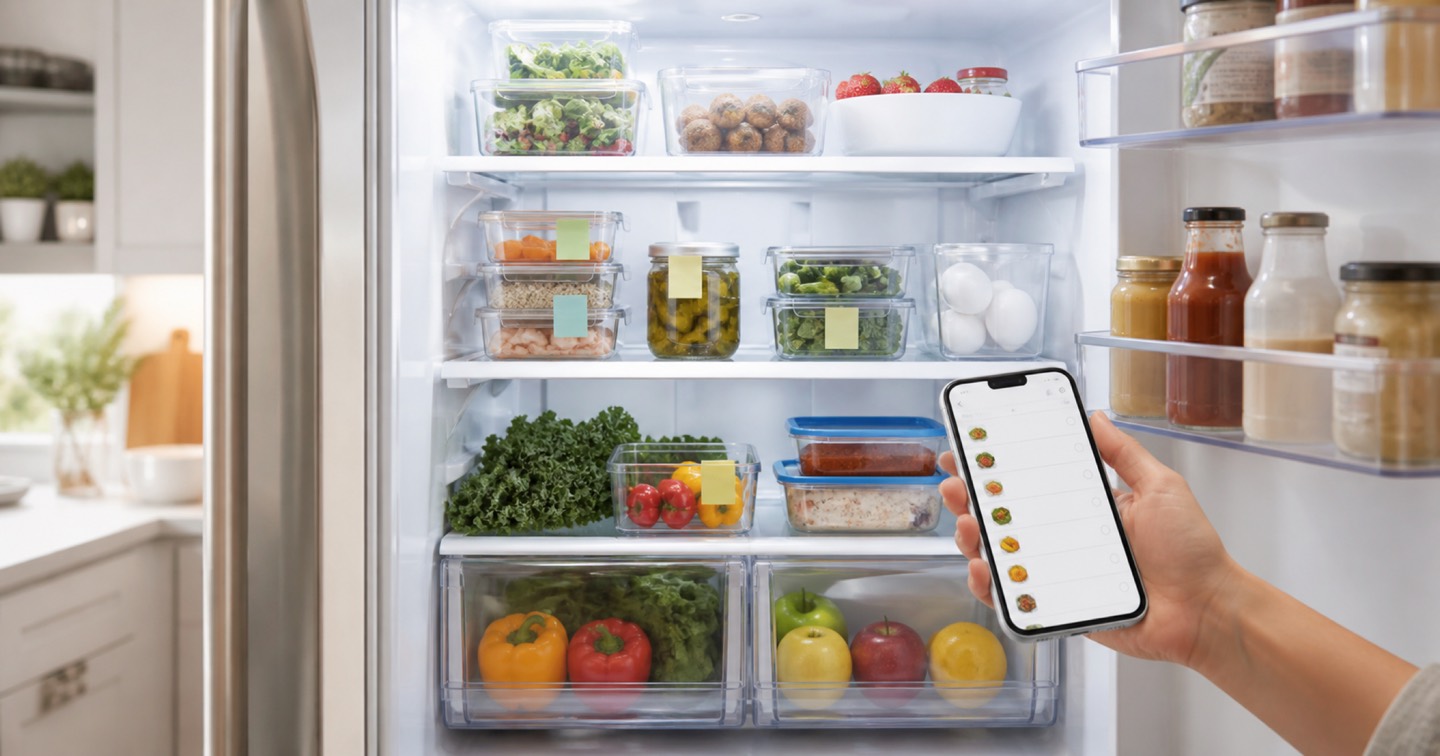
Keeping track of what is in the refrigerator is not mainly a filing problem. It is a timing problem. The inventory has to be updated when groceries come home, visible when dinner is being chosen, and useful again before the next shopping trip. If the system only works during a Sunday reset, it will drift.
The evidence supports a simple rule: make the next food decision easier. EPA's home guidance says households should look in the refrigerator, freezer, and pantry before shopping, make a list of food that needs to be used, and plan meals around it: https://www.epa.gov/recycle/preventing-wasted-food-home. FDA gives nearly the same instruction in kitchen language: check the fridge often, create a spot for food that may go bad soon, and eat or freeze items before they need to be discarded: https://www.fda.gov/food/consumers/tips-reduce-food-waste. A fridge inventory works when it turns those checks into a repeatable workflow.
It is also not a safety guarantee. FoodSafety.gov's storage chart gives short refrigerator timelines for many foods and notes that freezer timelines are about quality when food stays at 0 F or below: https://www.foodsafety.gov/food-safety-charts/cold-food-storage-charts. FDA also explains that date-label confusion contributes to consumer food waste, and that quality-based date labels are generally not federally required except for infant formula: https://www.fda.gov/food/consumers/how-cut-food-waste-and-maintain-food-safety. The best tracker records dates and prompts decisions; it does not overrule smell, temperature, package directions, recalls, or official storage advice.
The short version
Use a two-layer system. First, keep a visible use-soon zone in the fridge: one front shelf, bin, or label area for leftovers, opened packages, cut produce, and items whose date or condition needs attention. Second, keep a portable inventory that someone can check before shopping. A photo-first app is strongest when the household wants the inventory to feed recipes, reminders, and grocery lists. A shared checklist or spreadsheet can work if everyone keeps it short. A whiteboard is useful at the fridge but weak at the store. Memory and receipts are backup evidence, not a system.
The setup that survives normal life
Start with zones, not a complete database. Label one shelf or bin "use soon," one drawer for high-turnover produce, one area for planned proteins, and one area for leftovers. EPA recommends proper produce storage, date labels on containers, and freezer use for food that will not be eaten in time: https://www.epa.gov/recycle/preventing-wasted-food-home. FDA specifically recommends a designated fridge space for food likely to go bad within a few days: https://www.fda.gov/food/consumers/tips-reduce-food-waste.
Then record only the facts that change a decision: item, amount, opened or cooked date, storage place, and next use. More fields may feel rigorous, but they increase update friction. If the food is perishable, pair the note with an official storage source. FoodKeeper says it helps households understand storage for foods and beverages and was developed by USDA FSIS with Cornell University and the Food Marketing Institute: https://www.foodsafety.gov/keep-food-safe/foodkeeper-app. Use that kind of guidance for storage windows rather than inventing your own rules.
Finally, connect the inventory to shopping. EPA's source-reduction page puts inventorying supplies and making grocery lists in the same prevention chain: https://www.epa.gov/sustainable-management-food/prevent-wasted-food-through-source-reduction. Before shopping, open the fridge, update the use-soon area, and turn only true gaps into the grocery list. A perfect list that never changes shopping behavior is just kitchen documentation.
Five ways to track the fridge, ranked
1. Photo-first fridge inventory app - 91. A purpose-built flow works best when capture starts from the real fridge instead of a blank spreadsheet. Fridgeful's current fridge-inventory page says the app is designed to track fridge items, keep use-soon food visible, and connect inventory to recipes and grocery lists: https://fridgeful.ai/fridge-inventory-app. That matches the strongest workflow pattern: capture, use-soon prompt, meal idea, grocery gap. The caveat is important. An app can lower friction and improve visibility, but the household still has to update it after cooking, freezing, eating, or throwing food away.
2. Shared checklist or reminder list - 80. This is the best simple version. Apple documents shared Reminders lists where accepted participants can add, delete, and complete items, and the support page explicitly mentions grocery items and assignments: https://support.apple.com/en-ie/105124. A shared list works because it is fast and already near the shopping workflow. Use one list for "fridge use soon" and another for "buy next." Do not try to turn every item into a permanent inventory record unless the household enjoys list maintenance.
3. Shared note or spreadsheet - 74. A note or spreadsheet is better when detail matters: freezer batches, opened condiments, meal-prep containers, or pantry overflow. Google Drive sharing lets a file owner grant viewer, commenter, or editor roles: https://support.google.com/docs/answer/2494822?hl=en. Apple Notes also supports real-time collaboration on shared notes or folders through iCloud: https://support.apple.com/guide/iphone/share-and-collaborate-iphe4d04f674/ios. The risk is overbuilding. If the template asks for brand, size, aisle, calories, price, expiration, storage zone, and meal plan for every tomato, it will probably fail.
4. Fridge-door whiteboard plus use-soon bin - 67. This is the best physical reminder. Write "eat first" foods where everyone can see them, and put those foods together. It is especially useful for leftovers, cut produce, opened dairy, and thawed proteins. The weak point is mobility: the board is not with you at the grocery store. Make it stronger by taking a phone photo before shopping or copying only the current gaps into a shared list.
5. Memory or receipt-only tracking - 36. This feels effortless until the fridge changes. A receipt does not know whether yogurt was eaten, leftovers were cooked, lettuce was moved to a lower drawer, or chicken was frozen. Memory also breaks in shared kitchens because the person who bought an item may not be the person who needs it for dinner. Use receipts as a same-day reference, not as the inventory.
Fridgeful Signal Ranking
This is an editorial ranking for household tracking fit, not a health claim, food-safety certification, measured waste-reduction study, or guarantee that food is safe to eat.
| Rank | Tracking workflow | Score | Criteria scores | Best use |
|---|---|---|---|---|
| 1 | Photo-first fridge inventory app | 91 | 24/23/18/13/13 | Households that want inventory, use-soon prompts, meals, and groceries connected. |
| 2 | Shared checklist or reminder list | 80 | 19/20/18/12/11 | Quick shared tracking with minimal setup. |
| 3 | Shared note or spreadsheet | 74 | 17/19/17/10/11 | Detailed manual inventory for planners and batch cooks. |
| 4 | Fridge-door whiteboard plus use-soon bin | 67 | 15/20/6/12/14 | Visible in-kitchen reminders for food that gets forgotten. |
| 5 | Memory or receipt-only tracking | 36 | 7/8/4/8/9 | Same-day backup only. |
Criteria scores follow the article data: capture friction 25; freshness and safety context 25; household sync 20; grocery follow-through 15; claim discipline and durability 15.
A weekly rhythm that keeps the list alive
After groceries: put short-life items in the right zone, take a photo or update the app/list, and mark what was opened. Midweek: check the use-soon bin before starting dinner. Before shopping: review the fridge, freezer, and pantry, then buy from gaps rather than memory. After cooking: log leftovers with a cooked date, because FoodSafety.gov lists many cooked leftovers at three to four refrigerator days: https://www.foodsafety.gov/food-safety-charts/cold-food-storage-charts.
The practical goal is not a perfect catalog. The goal is fewer duplicate purchases, fewer forgotten containers, and faster dinner decisions. If your system makes those three actions easier, keep it. If it becomes a chore, remove fields until the household can update it in under a minute.
Sources
- Preventing Wasted Food At Home. U.S. Environmental Protection Agency. Accessed 2026-08-09.
- Prevent Wasted Food Through Source Reduction. U.S. Environmental Protection Agency. Accessed 2026-08-09.
- Tips to Reduce Food Waste. U.S. Food and Drug Administration. Accessed 2026-08-09.
- How to Cut Food Waste and Maintain Food Safety. U.S. Food and Drug Administration. Accessed 2026-08-09.
- FoodKeeper App. FoodSafety.gov. Accessed 2026-08-09.
- Cold Food Storage Chart. FoodSafety.gov. Accessed 2026-08-09.
- Share and assign reminders on your iPhone or iPad. Apple Support. Accessed 2026-08-09.
- Share files from Google Drive. Google Docs Editors Help. Accessed 2026-08-09.
- Share notes and collaborate on iPhone. Apple Support. Accessed 2026-08-09.
- Fridge Inventory App for iPhone. Fridgeful. Accessed 2026-08-09.